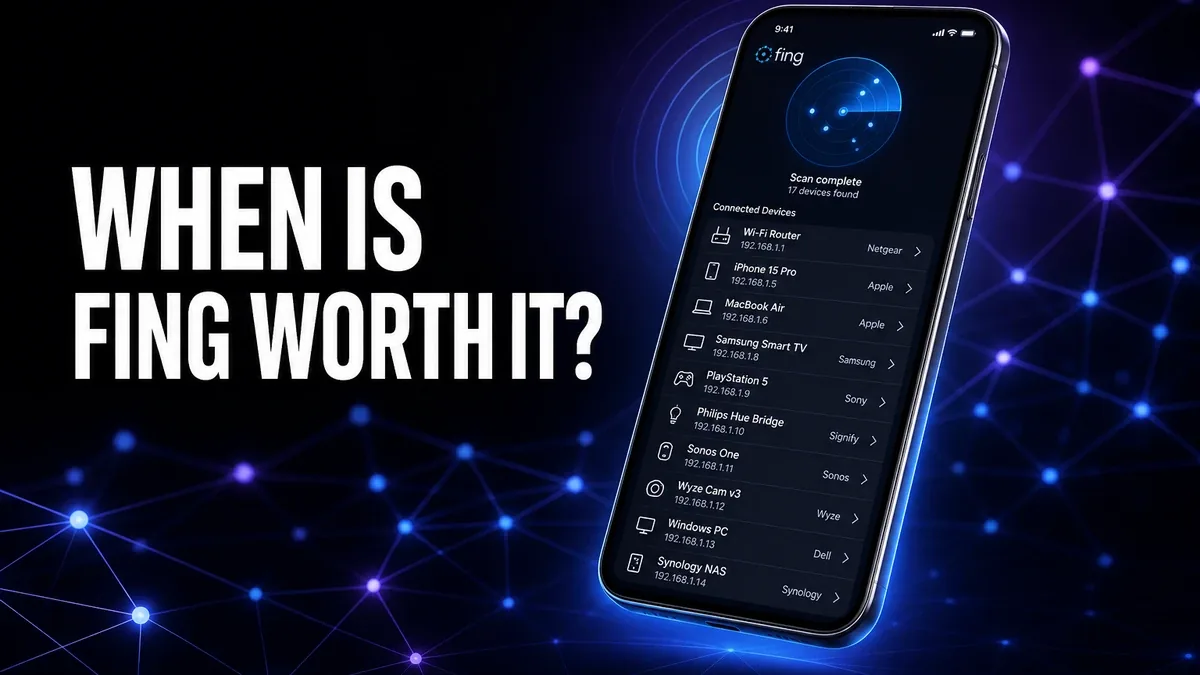
Many Android users install network tools hoping they will somehow make Wi-Fi faster. That is usually the wrong expectation. The real value of a tool like Fing is not speed. It is clarity when your home network behavior stops making sense.
Download Fing MOD APK - Premium Unlocked
Fing · Home Wi-Fi · Network Tools · Android Troubleshooting · Decision Guide
The Real Decision Is Not More Network Features. It Is Whether You Need Answers or Just Reassurance
Network tools are one of the easiest Android categories to misunderstand. Users often install them after a vague frustration: the internet feels weird, one device keeps dropping, the smart TV behaves strangely, or the Wi-Fi seems slower than expected. Then they open the app and see a lot of technical information they may never use again.
The core thesis of this article is simple: Fing makes sense when your problem is uncertainty about what is happening on your network, not when you just want the feeling that you are "optimizing" something. It is valuable because it helps you identify the shape of a problem. If you do not have that kind of problem, it can easily become more tool than you need.
Why Fing Helps When One Device Keeps Breaking the Whole Story
Fing MOD APK becomes useful when your network frustration is specific but unexplained. Maybe your phone works, but your TV buffers. Maybe one laptop keeps disconnecting while everything else looks normal. Maybe you are not even sure which devices are still sitting on your Wi-Fi.
In those moments, speed-test apps usually tell you less than you need. They may confirm that the connection is broadly fine, but they do not explain why the experience still feels broken. Fing is stronger because it helps turn a vague annoyance into something more concrete: what devices are connected, what changed, and where the problem may actually live.
What you gain: more visibility, better network awareness, and a clearer starting point when Wi-Fi problems feel random.
What you lose: simplicity. If you only wanted a quick reassurance that your internet is alive, a fuller network tool can feel excessive.
Why Fing Is Not the Right Tool for Every "Slow Internet" Feeling
A lot of Android frustration is not really a network-mapping problem. Sometimes the issue is a weak app workflow, a bad server, background restrictions, or a download process that was fragile from the start. In those cases, a network tool can make you feel productive without actually fixing the thing that is wrong.
This is the main trade-off users should understand before installing Fing. It is powerful when the question is "what is happening on this network?" It is much less useful when the real question is "why does this app keep behaving badly?" or "why does this APK fail after download?"
That is why Fing should be treated as a diagnostic layer, not a magic performance booster. It helps when the problem is unclear. It does not replace the need to diagnose the app workflow itself.
Best For, Not Ideal For
Best for: users who manage home Wi-Fi for several devices, troubleshoot odd connection behavior, or want to know what is actually happening on their network instead of guessing.
Not ideal for: users who only want a quick internet check or who rarely troubleshoot beyond rebooting the router once.
Common mistake: installing a network tool too early, before identifying whether the issue is really network-level or just one app's unstable behavior.
Biggest cost: extra complexity. More information only helps when you are ready to act on it.
Before You Install Fing
Before installing Fing, ask a simpler question first: is the problem happening across the network or only inside one workflow? If APKs download badly in the browser, our 1DM+ download manager guide may be more relevant. If files download but refuse to install, see our APK parsing error guide.
If you are mainly deciding how carefully to sideload and evaluate modified apps, our MOD APK safety guide and MODDROID app vs website guide answer a different but often more important question than network scanning.
Our Honest Recommendation
Fing is worth installing when uncertainty is the problem. If your home network has become hard to read, it gives you a better map of what is going on.
If your issue is simpler than that, do not force a bigger tool into the workflow. Fing is best when you need clarity, not when you just want to feel more technical.
How to Download Fing MOD APK
Since the modded version is not available on the Google Play Store, you need to install it manually. Follow these steps:
- Enable Unknown Sources: Open Android settings, go to "Security" or "Apps," and enable "Install from Unknown Sources."
- Download the APK: Use the app page link to get the latest Fing MOD APK version.
- Remove Conflicting Versions: Uninstall incompatible builds first if installation fails.
- Install the APK: Tap the downloaded file and complete installation.
- Check a Real Problem First: Use it when a device, room, or app connection already feels wrong. That is when its value becomes obvious.
The most useful diagnostic app is not the one with the most screens. It is the one you open when the problem is still vague and leave with a clearer next step.
FAQ
What does Fing actually help with on Android?
It helps when your network behavior feels unclear, such as unknown devices on Wi-Fi, one device disconnecting repeatedly, or general uncertainty about what is happening across the network.
Can Fing make Wi-Fi faster?
Not directly. Its main value is diagnosis and visibility, not speed boosting.
Who should install Fing?
Users who regularly troubleshoot home Wi-Fi, manage several connected devices, or need a clearer picture of their network before changing settings.
When is Fing not worth it?
When your needs are very light, or when the problem is really inside one app or APK workflow rather than the network itself.
If your Wi-Fi problem feels confusing rather than simply slow, Fing is useful because it gives you a better map before you start changing things blindly.





