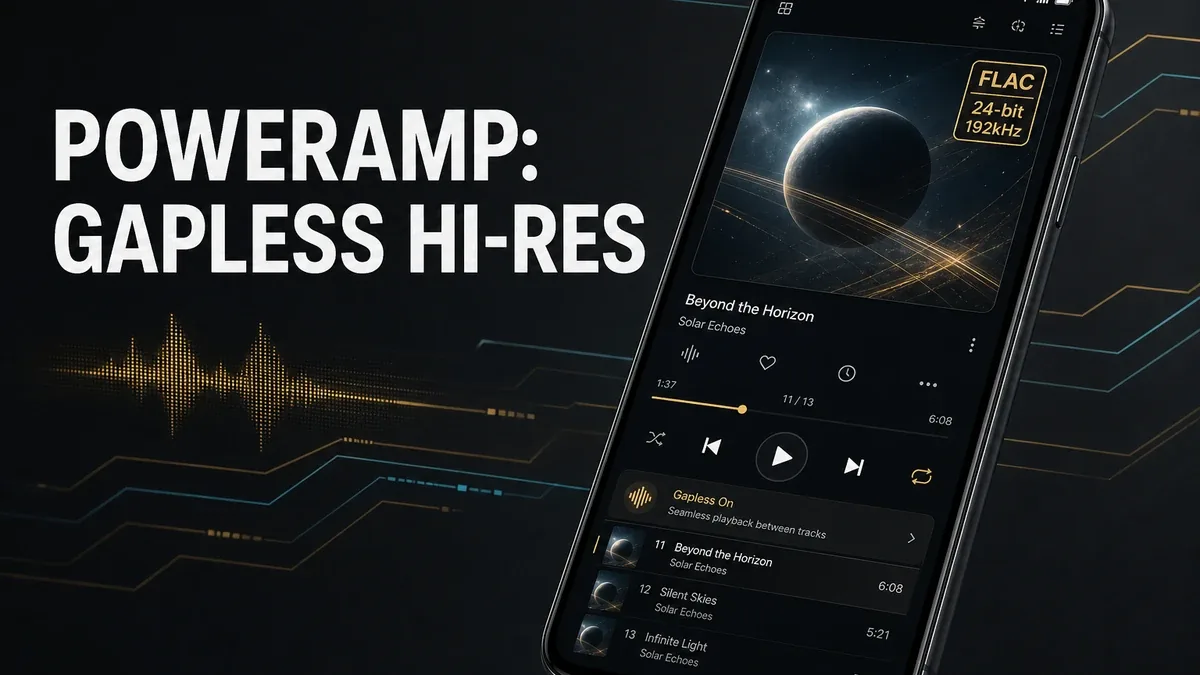
Streaming apps win when the next song is still unknown. Poweramp wins when the album is already on the phone — FLAC, gapless transitions, ReplayGain, and a Hi-Res output path that stock players flatten.
Download Poweramp MOD APK - Full Version Unlocked
Poweramp · Hi-Res Player · Gapless Playback · Local FLAC · Android 2026
The Real Split Is Owned-Album Fidelity vs Catalog Discovery
Local players get compared as if every app that opens MP3s is the same product. Jobs differ. Streaming clients hunt catalogs. Media hubs keep songs and videos in one shelf. Poweramp is built around a dedicated audio engine: gapless album playback, ReplayGain level matching, wide format support (including FLAC and other lossless types), and Hi-Res output settings that the 15-day trial normally gates.
The core thesis of this article is simple: Poweramp is better when the unfinished job is faithful local album playback with gapless and Hi-Res output, while streaming apps remain better when discovery is the job, and mixed media hubs remain better when music-plus-video browsing is the bottleneck. The core trade is owned-file fidelity against catalog convenience — not whether another player has a denser EQ list.
Why a Silent Gap Between Tracks Is a Different Failure Than Missing Songs
A Poweramp night: play a live album or a gapless studio record from Downloads, hear track 2 enter without a click, keep ReplayGain from jumping volume, and send 24-bit output toward a USB DAC or wired Hi-Res path. The unfinished job was continuity and signal path.
A streaming night: search a title you do not own, skip across playlists, accept compressed streams. Discovery wins. Album physics lose.
That is a different decision from jetAudio vs Lark (sound-shaping ritual versus mixed-library hub) and from Spotify X (on-demand streaming skips). Poweramp’s axis is whether you already own the files and need the player to respect albums, levels, and output — not whether you can find more songs.
What Poweramp Actually Does Better
Poweramp MOD APK is useful when Full Version unlocks (EQ, Hi-Res output, no trial nag) let a local library play as albums instead of as shuffled files.
What you gain: a specialist engine for gapless playback, ReplayGain, broad lossless formats, 10-band EQ, and Hi-Res output controls that stock players often skip.
What you lose: catalog discovery. Poweramp will not replace a streaming search box, and it is heavier than a “play anything in one hub” app if you also live in offline videos.
Poweramp is strongest with a real local library — rips, purchases, FLAC folders. It is weaker when you only stream and never store albums.
Best For, Not Ideal For
Poweramp is best for: listeners who keep local albums and care about gapless playback, level matching, and Hi-Res output.
Streaming or hub apps are better when: you still hunt new tracks daily, or you need one shelf for mixed music and video without specialist output settings.
Not ideal for Poweramp: users with no local files, or users who wanted EQ tinkering as a hobby more than finishing albums.
Biggest cost: setup attention. The unit of cost is minutes spent on output, ReplayGain, and library scan — not missing a weekly new-release playlist.
Common mistake: installing Poweramp to “get Spotify without ads,” then finding an empty library because the job was streaming, not owned files.
Before You Choose Poweramp
Before choosing Poweramp, open your Music or Downloads folder. If you already have albums you replay, specialist playback is justified. If the folder is empty and you only search streams, start with a catalog client.
Our Honest Recommendation
Choose Poweramp when owned albums need gapless and Hi-Res treatment. Stay with streaming when discovery is still the unfinished job.
In short: Poweramp is better for local album fidelity than for replacing a music catalog.
How to Download Poweramp MOD APK
Since the modded version is not available on the Google Play Store, you need to install it manually. Follow these steps:
- Enable Unknown Sources: Open Android settings, go to "Security" or "Apps," and enable "Install from Unknown Sources."
- Download the APK: Use the app page link to get the latest Poweramp MOD APK version.
- Remove Conflicting Versions: Uninstall the official Poweramp or Unlocker build first if installation fails due to signature conflict.
- Install the APK: Tap the downloaded file and complete installation.
- Judge It on One Album: Play a gapless local album for three consecutive tracks, check ReplayGain if volumes jump, and open Hi-Res output settings. If you have no local albums to test, Poweramp is not the job yet.
Poweramp earns its slot when local albums play as albums. An empty library with unlocked EQ is not a listening upgrade.
FAQ
Does Poweramp play streaming catalogs?
It is a local-first high-fidelity player. Catalog search still belongs to streaming clients.
Who should use Poweramp?
Listeners with local lossless or high-bitrate albums who care about gapless playback, ReplayGain, and Hi-Res output.
When is Poweramp the wrong choice?
When you have no files on disk, only need mixed video+music browsing, or mainly want skip-unlocked streaming.
What is the biggest trade-off with Poweramp?
You gain specialist local fidelity, but you spend setup time and you do not gain a streaming catalog.
If the albums are already on your phone and stock playback leaves gaps and flattened output, Poweramp is the specialist path — not another streaming client in player clothing.





